Installation
System Requirements
In principle, bewegung works across all modern operating systems. bewegung is fully parallelized, so it significantly benefits from higher numbers of cores. Its memory consumption hugely depends on the complexity of the project. For example, bewegung’s relatively simple standard demo requires at least 2 GBytes of RAM on a headless server or 4 GBytes of RAM on a desktop. Swapping is generally a bad idea - swap should be completely deactivated if possible.
Note
In terms of memory usage and performance, bewegung behaves best on Unix-like systems due to Windows’s lack of “fork”.
Quick Install Guide
bewegung can be installed both via conda and via pip.
Via conda
An almost complete installation can be triggered by running:
conda install -c conda-forge bewegung
Note
mplcairo, a dependency of bewegung and alternative backend for matplotlib, is currently not available via conda and must be installed manually. bewegung does also work without mplcairo present and falls back to the cairo backend of matplotlib.
Via pip
bewegung can easily be installed with Python’s package manager pip in a minimal configuration as it has only one “hard” Python dependency, the Pillow library:
pip install -vU bewegung
All further Python dependencies are optional and allow to use certain optional components of bewegung. A complete installation of all Python components and development tools involves the installation of a number of prerequisites. On a Debian/Ubuntu Linux system for instance, those can be installed as follows:
sudo apt-get install \
    build-essential pkg-config \
    python3-venv python3-dev \
    libcairo2 libcairo2-dev \
    gir1.2-gtk-3.0 libgirepository1.0-dev \
    libpango-1.0-0 libpango1.0-dev \
    libpangocairo-1.0-0 \
    ffmpeg
Warning
The names of packages and the overall installation procedure of the mentioned prerequisites do vary between different Linux distributions and operating systems.
Once all prerequisites are present, bewegung can be installed. It is recommended to install it into a new virtual environment:
python3 -m venv env # create virtual environment
source env/bin/activate # activate virtual environment
pip install -vU pip setuptools wheel # install & update setup toolchain
The actual installation of bewegung can now be triggered as follows:
pip install -vU bewegung[all] # install bewegung
Validate Installation
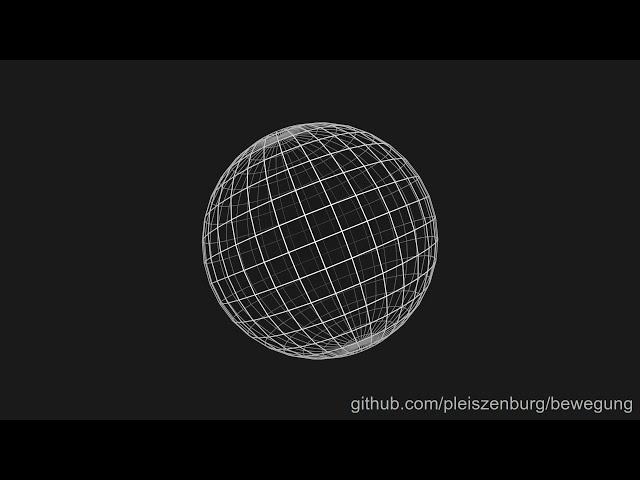
You can directly run the standard demo of bewegung:
curl https://raw.githubusercontent.com/pleiszenburg/bewegung/master/demo/demo.py | python3
This resulting video.mp4 file should look like this:
Detailed Installation Options (pip)
Note
This section is only relevant if you install bewegung with pip.
Video File Encoding
For rendering an actual video file, ffmpeg is required. See download section on ffmpeg’s project website for installation instructions. If ffmpeg is not present, individual video frames can still be exported as image files.
Progress Bars
Installation: pip install -vU bewegung[tqdm]
Dependencies:
tqdm
Drawingboard Rendering Backend
Installation: pip install -vU bewegung[drawingboard]
Dependencies:
pycairoPyGObjectipython(optional dependency,pip install -vU bewegung[ipython])
The cairo library and its headers must be installed, see pycairo’s documentation. The prerequisites of PyQObject must be fulfilled before installing it. In addition, Pango, its headers (development package), librsvg and its headers (development package) must be all be present. drawingboard works without ipython if no interactive display of images in Jupyter is required.
Cairo Rendering Backend
Installation: pip install -vU bewegung[cairo]
Dependencies:
pycairo
The cairo library and its headers must be installed, see pycairo’s documentation.
Datashader Rendering Backend
Installation: pip install -vU bewegung[datashader]
Dependencies:
datashader
For further instructions, see datashader’s documentation.
Matplotlib Rendering Backend
Installation: pip install -vU bewegung[matplotlib]
Dependencies:
numpymatploblibpycairomplcairo(optional, but highly recommended)
The cairo library and its headers must be installed, see pycairo’s documentation.
Note
If mplcairo can not be installed or is not present for whatever reason, bewegung will show a warning and fall back to matplotlib’s internal cairo backend.
Faster Camera
Installation: pip install -vU bewegung[numba]
Dependencies:
numbafor Just-in-Time (JIT) compilation
For further instructions, see numba’s documentation.
Vector Arrays and Faster Camera
Installation: pip install -vU bewegung[numpy]
Dependencies:
numpy
Run-Time Type-Checking
Installation: pip install -vU bewegung[typeguard]
typeguard
If installed, type-checking will be enabled across the library (see debugging).