Backend: matplotlib
The matplotlib library is a - if not the - classic plotting package in the Python ecosystem. For further details, please consult the documentation of matplotlib. A good basic introduction can also be found in the Python Data Science Handbook (2016), chapter 4, by Jake VanderPlas. The author has made the manuscript freely available in the form of Jupyter notebooks on Github.
from bewegung import Video

v = Video(width = 480, height = 270, seconds = 1.0)

@v.sequence()
class Foo:

    @v.layer(
        canvas = v.canvas(
            backend = 'matplotlib',
            facecolor = '#FFFFFFFF',
            dpi = 150,
        )
    )
    def bar(self, canvas): # a matplotlib figure object

        ax = canvas.subplots()
        ax.plot([1, 2, 3], [5, 4, 7])

        return canvas

v.reset()
v.render_frame(v.time(0))
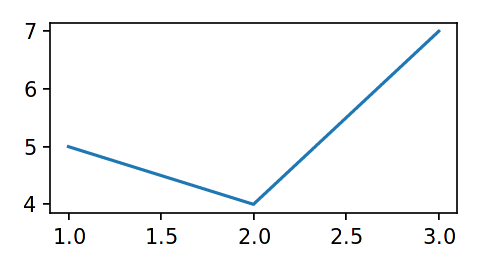
Similar to matplotlib.pyplot.figure, the function call v.canvas(backend = 'matplotlib') accepts the following additional keyword arguments, among others (see documentation of matplotlib.pyplot.figure and matplotlib.figure.Figure):
dpi, resolution or dots per inch. 300 by default.figsize, a tuple of width and height in inches. Width and height of the video by default, converted to inches based on the value ofdpi.width, width in pixels. Mapped tofigsizeif provided together withheight. Converted to inches based on the value ofdpi.height, height in pixels. Mapped tofigsizeif provided together withwidth. Converted to inches based on the value ofdpi.tight_layout, by defaultTrue.facecolor, a background color.background_color, mapped tofacecolor. Acceptsbewegung.Colorobjects.managed, a boolean, by defaultTrue. This value indicates whether the thematplotlib.figure.Figureobject is “managed” bybewegung. IfTrue,bewegungwill close, i.e. destroy, a figure that is returned by a layer method.
Layer methods are expected to return matplotlib.figure.Figure objects.
Warning
By default, bewegung will “manage” matplotlib.figure.Figure objects for saving resources, i.e. the returned matplotlib.figure.Figure objects are automatically closed once returned. This can be avoided by setting managed to False.
Accelerating matplotlib
Aside from its rich set of features, matplotlib is known for its mediocre performance. Not to be confused with bewegung’s backends, matplotlib also has different backends for rendering. Within bewegung, matplotlib is automatically configured to use mplcairo, “A (new) cairo backend for Matplotlib”. Compared to matplotlib’s own built-in backends, its output quality is significantly better while the rendering speed is also higher. Unfortunately, mplcairo is just “half” of the story of matplotlib performance.
Warning
If mplcairo can not be installed or is not present for whatever reason, bewegung will show a warning and fall back to matplotlib’s internal cairo backend.
In animation frameworks for matplotlib, such as the “official” matplotlib.animation sub-package, it is common practice to re-use and update existing figure and subplot / axes objects. This speeds up the rendering process considerably. This strategy is also supported by bewegung.
Warning
For optimal results, the suggested approach requires some deeper understanding of matplotlib’s facilities.
The following code illustrates the approach.
from bewegung import Video

v = Video(width = 480, height = 270, seconds = 1.0)

@v.sequence()
class Foo:

    def __init__(self):

        self._fig = v.canvas(
            backend = 'matplotlib',
            facecolor = '#FFFFFFFF',
            dpi = 150,
            managed = False, # ensure that bewegung does not close figure
        )() # calls the factory once, generates a single figure
        self._ax = self._fig.subplots() # generates a single subplot

    @v.layer() # no backend configuration required
    def bar(self): # no canvas requested

        self._ax.clear() # optional: update content directly instead
        self._ax.plot([1, 2, 3], [5, 4, 7]) # draw new content or change old content

        return self._fig

v.reset()
image0 = v.render_frame(v.time(0))
image1 = v.render_frame(v.time(1))
The less a figure changes, the faster the above code becomes. Depending on the degree of complexity and optimization, anything from a few percent to an order of magnitude of performance gain can be achieved.